
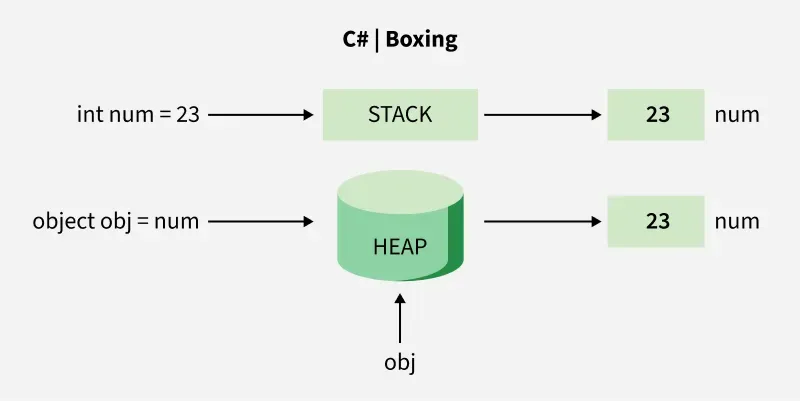
Assigning an int to an object looks like a simple assignment, but it boxes the value. BoxingConverting a value type into an object or interface reference by copying its value into a boxed object. Later changes to the original variable do not update that copy.After int n = 42; object box = n; n = 7;, the box still contains 42.Browse glossary creates an object containing a copy; unboxing retrieves the value with a runtime type check.
The examples below follow that copy, show where allocations appear, and compare object-based collections with typed ones.
Value Types vs Reference Types
Value types
int,double,boolstruct,enum- Stored inline
- Copied by value
- Designed for small, immutable data
Reference types
class,string,object- Stored on the managed heap
- Passed by reference
- Require garbage collection
What Is Boxing
Boxing is the process of wrapping a value type inside a reference type (object or interface).
int number = 42;
object boxed = number;
At runtime, this causes the CLR to allocate a new object on the managed heap and copy the value into it.
What Is Unboxing
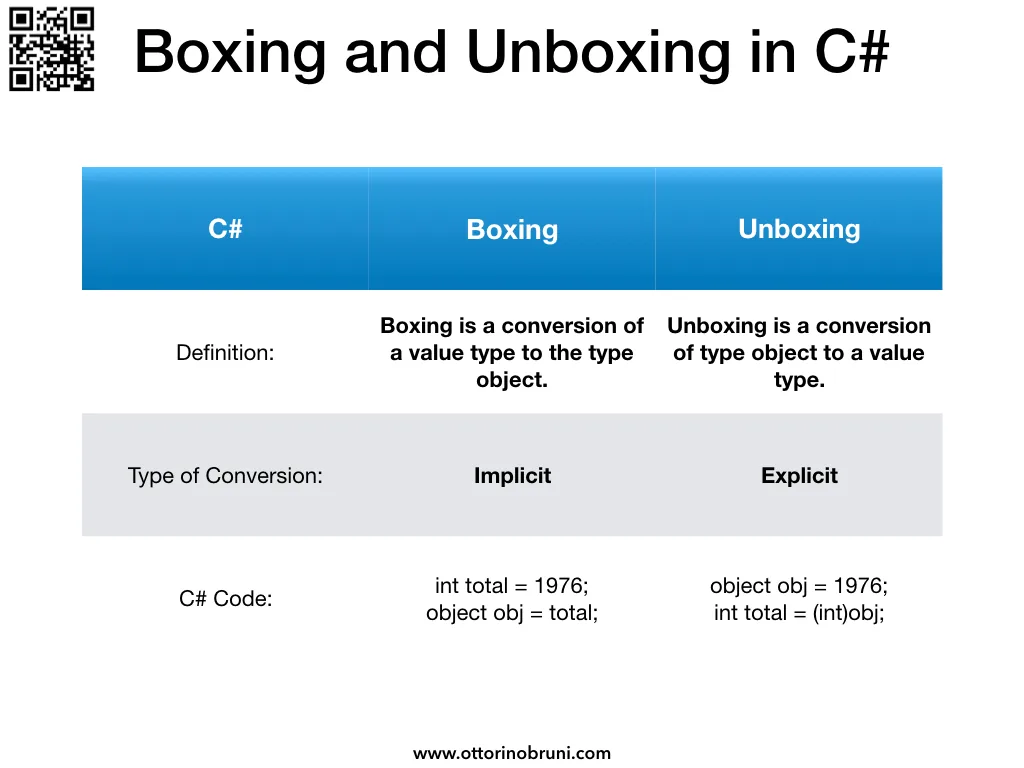
Unboxing extracts the value type from the boxed object.
object boxed = 42;
int unboxed = (int)boxed;
Unboxing checks the stored value type at runtime and copies the value out of the box.
What Actually Happens During Boxing
int number = 42;
object boxed = number;
Internally, the CLR performs the following steps:
- Allocates memory on the managed heap
- Writes an object header (method table pointer, sync block)
- Copies the value into the object payload
- Returns a reference to the object
Although int is only 4 bytes, the boxed object typically occupies 24 bytes or more, depending on platform and alignment.
Why Size Increases
A boxed value includes:
- Object header
- Type metadata pointer
- Padding for alignment
- The actual value
Repeated boxing adds object allocations in tight loops or large collections.
What Actually Happens During Unboxing
object boxed = 42;
int value = (int)boxed;
The CLR performs:
- A runtime type check to ensure the object contains the expected value type
- Copies the value from the heap back to the stack or register
- Leaves the boxed object on the heap for later garbage collection
Unboxing does not free memory. The boxed object remains until collected by the GC.
If the runtime type does not match, an InvalidCastException is thrown.
Memory Management
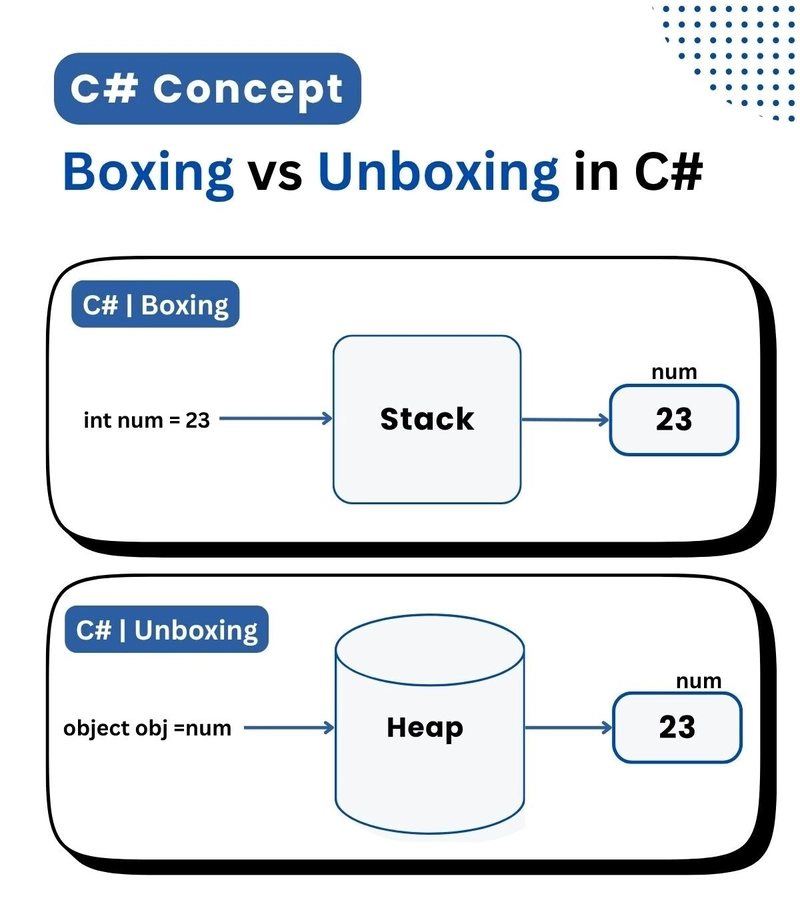
Stack vs Heap in Practice
Stack
- Extremely fast allocation
- Automatic cleanup
- Limited size
- Used for local value types and method frames
Heap
- Slower allocation
- Managed by garbage collector
- Larger and flexible
- Used for reference types and boxed values
Example Memory Layout
int x = 10;
object boxed = x;xlives inline in the stack frameboxedis a reference pointing to heap memory- The value
10is duplicated, not shared
This duplication is a key reason boxing should be avoided in performance-sensitive paths.
Why Boxing Hurts Performance
Boxing introduces multiple hidden costs:
- Heap allocation
- Additional memory usage
- CPU cycles for copying
- Garbage collection pressure
- Cache inefficiency
Unboxing adds:
- Runtime type checking
- Additional memory copy
These costs are often invisible in small programs but become severe in:
- Hot loops
- High-throughput services
- Real-time systems
- Large collections
Performance Analysis
Boxing in Collections
Compare the same loop with an object-based collection and a generic collection:
ArrayList (boxing)
ArrayList list = new ArrayList();
for (int i = 0; i < 1_000_000; i++)
{
    list.Add(i);
}
Each Add call boxes int into object.
List<int> (no boxing)
List<int> list = new List<int>();
for (int i = 0; i < 1_000_000; i++)
{
    list.Add(i);
}
The generic version:
- Avoids boxing entirely
- Uses contiguous memory
- Is easier for the JIT to optimize
Memory Footprint Comparison
| Type | Unboxed Size | Boxed Size | Approx Increase |
|---|---|---|---|
| bool | 1 byte | ~24 bytes | 24x |
| int | 4 bytes | ~24 bytes | 6x |
| long | 8 bytes | ~24 bytes | 3x |
| decimal | 16 bytes | ~40 bytes | 2.5x |
These numbers explain why legacy non-generic APIs scale poorly.
Common Boxing Scenarios
Explicit Boxing
object o = 10;Implicit Boxing
Console.WriteLine(10);The WriteLine(object) overload causes boxing.
Interface Boxing
IComparable c = 10;Value types implementing interfaces are boxed unless constrained generically.
Enum Boxing
Enum e = DayOfWeek.Monday;Enums are value types and get boxed when treated as Enum or object.
String Interpolation and Boxing
int value = 42;
string s = $"Value is {value}";
This may cause boxing depending on overload resolution.
Safer alternative:
string s = $"Value is {value:D}";Or:
string s = string.Create(
    CultureInfo.InvariantCulture,
    $"Value is {value}"
);
In high-frequency logging, prefer structured logging frameworks that avoid boxing.
Performance Optimization Example
const int count = 1_000_000;

// No boxing
int sum1 = 0;
for (int i = 0; i < count; i++)
{
    sum1 += i;
}

// Boxing
object sum2 = 0;
for (int i = 0; i < count; i++)
{
    sum2 = (int)sum2 + i;
}
The second loop:
- Boxes on every iteration
- Allocates millions of objects
- Triggers frequent GC cycles
This pattern is a common hidden performance bug.
Best Practices
Recommended
- Prefer generic APIs and collections when working with value types
- Use
List<T>,Dictionary<TKey,TValue> - Implement
IEquatable<T>on structs - Keep structs small and immutable
- Use profilers to detect boxing
Avoid
ArrayList,Hashtable- APIs that accept
objectunnecessarily - Structs implementing non-generic interfaces
- Passing value types through
objectpipelines
Advanced Scenarios
Designing Structs Correctly
public readonly struct Money : IEquatable<Money>
{
    private readonly decimal amount;

    public Money(decimal amount)
    {
        this.amount = amount;
    }

    public bool Equals(Money other) => amount == other.amount;

    public override bool Equals(object obj)
    {
        return obj is Money other && Equals(other);
    }

    public override int GetHashCode() => amount.GetHashCode();
}
Implementing IEquatable<T> avoids boxing during equality checks in generic collections.
Generic Constraints to Prevent Boxing
public class Processor<T> where T : struct
{
    public T Process(T value)
    {
        return value;
    }
}
The struct constraint allows the JIT to generate boxing-free code paths.
Modern C# Features That Reduce Boxing
- Generics
Span<T>andReadOnlySpan<T>- Nullable value types (
int?) - ValueTask
- Pattern matching with generics
These features can help avoid boxing, but check the API overloads and the code generated for the path you are measuring.
Summary
Start by checking where value types cross an object or interface boundary. A typed collection such as List<int> avoids the per-element boxing in ArrayList, and generic APIs can often keep values typed through the call.
A box in rarely used code may not matter. In a hot loop, measure the allocations and their effect on the workload before choosing an alternative.
Check Your Understanding
Try it yourself · optional
What does the box contain?
Verified Examples
Checked on September 16, 2026 with .NET 10.0.12 using SDK 10.0.112. The functional checks cover copying a value into a box, unboxing it to the exact stored type, rejecting an invalid cast, and preserving the same values in ArrayList and List<int>.
The verification harness is scripts/verify-blog/dotnet/Program.cs in the portfolio repository. These checks exercise behavior; allocation sizes and performance measurements require their own workload and runtime configuration.